4 min to read
Netflix Feign
学习Netflix Feign

理解
-
Feign是受到Retrofit,JAXRS-2.0和WebSocket启发的Java to HTTP客户端联编程序。Feign的第一个目标是将绑定分母的复杂性统一降低到HTTP API,而不管ReSTfulness如何。
-
白话理解:Feign 帮助你更好的模块之间的调用,同时结合Hystrix(熔断)和(Ribbon)负载均衡
疑问
怎么结合Hystrix(熔断)的?
- 将在 Netflix Hystrix 博客中讲述
怎么结合Ribbon(负载均衡)?
- 将在 Netflix Ribbon博客中讲述
如果在启动时遇到如下错误?
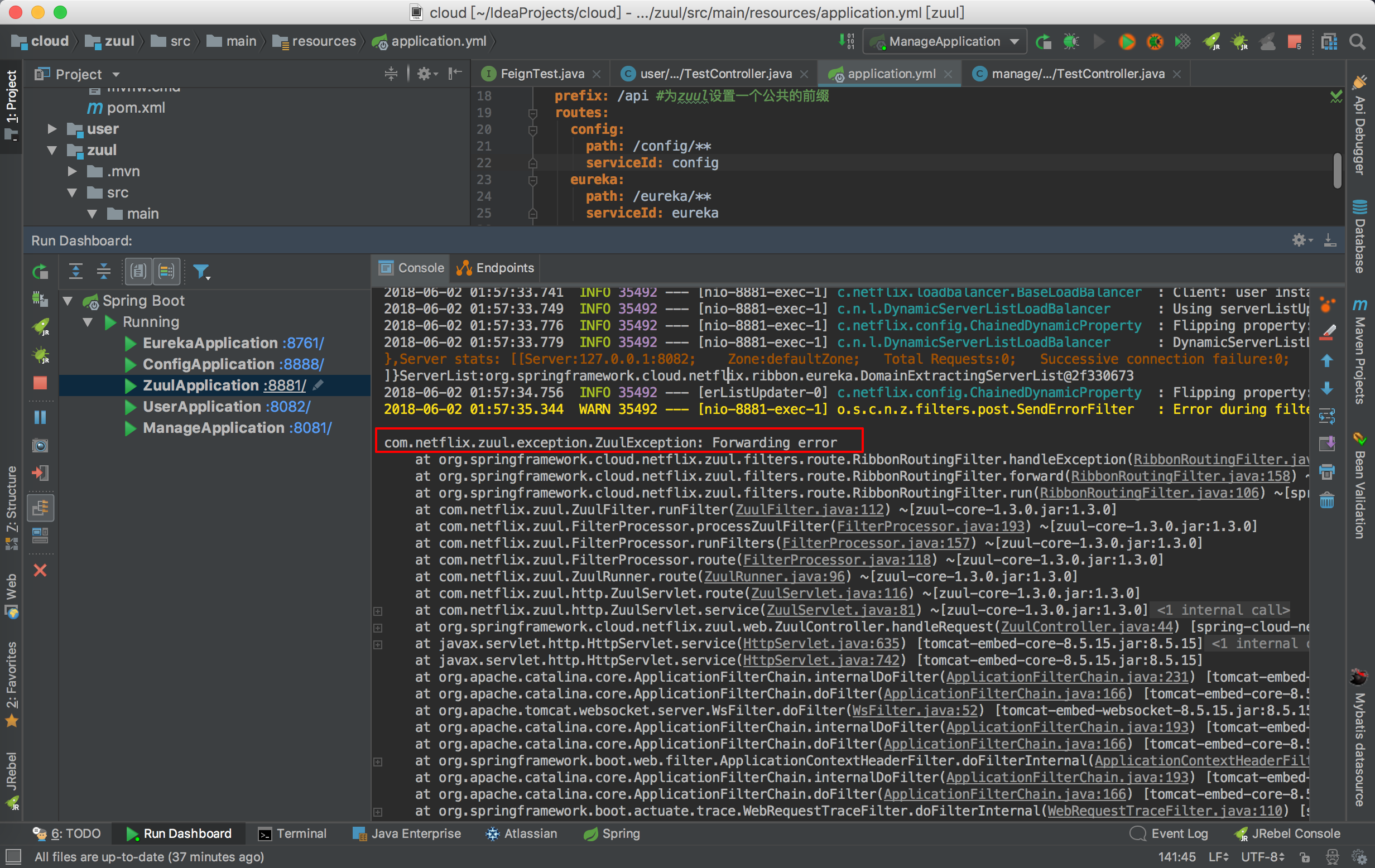
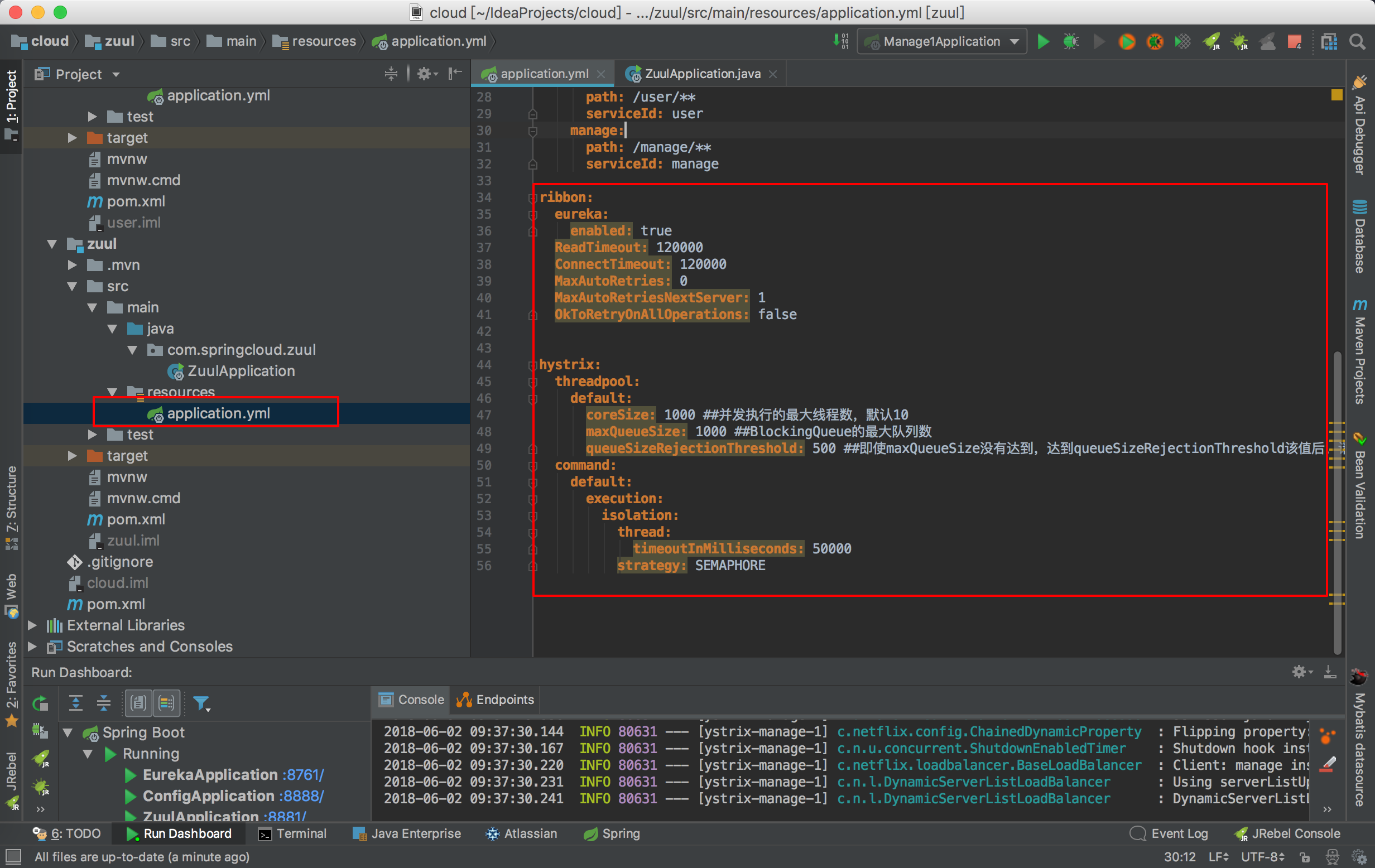
- 由于请求超时造成的,我们需要配置上熔断和负载均衡即可
ribbon:
  eureka:
    enabled: true
  ReadTimeout: 120000
  ConnectTimeout: 120000
  MaxAutoRetries: 0
  MaxAutoRetriesNextServer: 1
  OkToRetryOnAllOperations: false


hystrix:
  threadpool:
    default:
      coreSize: 1000 ##并发执行的最大线程数,默认10
      maxQueueSize: 1000 ##BlockingQueue的最大队列数
      queueSizeRejectionThreshold: 500 ##即使maxQueueSize没有达到,达到queueSizeRejectionThreshold该值后,请求也会被拒绝
  command:
    default:
      execution:
        isolation:
          thread:
            timeoutInMilliseconds: 50000
          strategy: SEMAPHORE
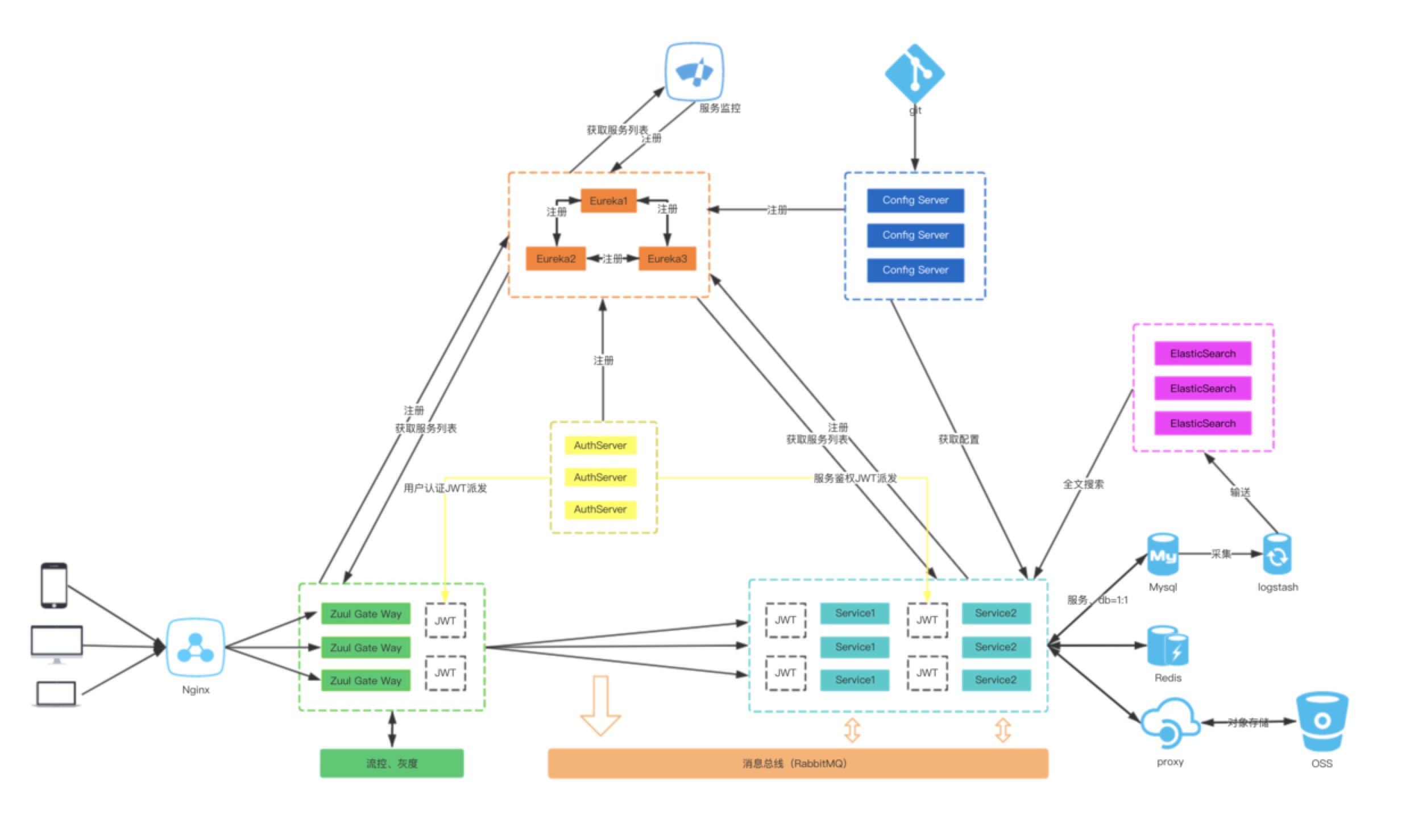
架构图
- 架构图
创建项目
前提环境 IDEA,JDK1.8
-
为了测试Feign,我们需要创建两个自定义Web模块,也就是我们自己的业务模块,这里使用用户模块(user)和管理模块来举例子(manage),让用户模块调用管理模块
-
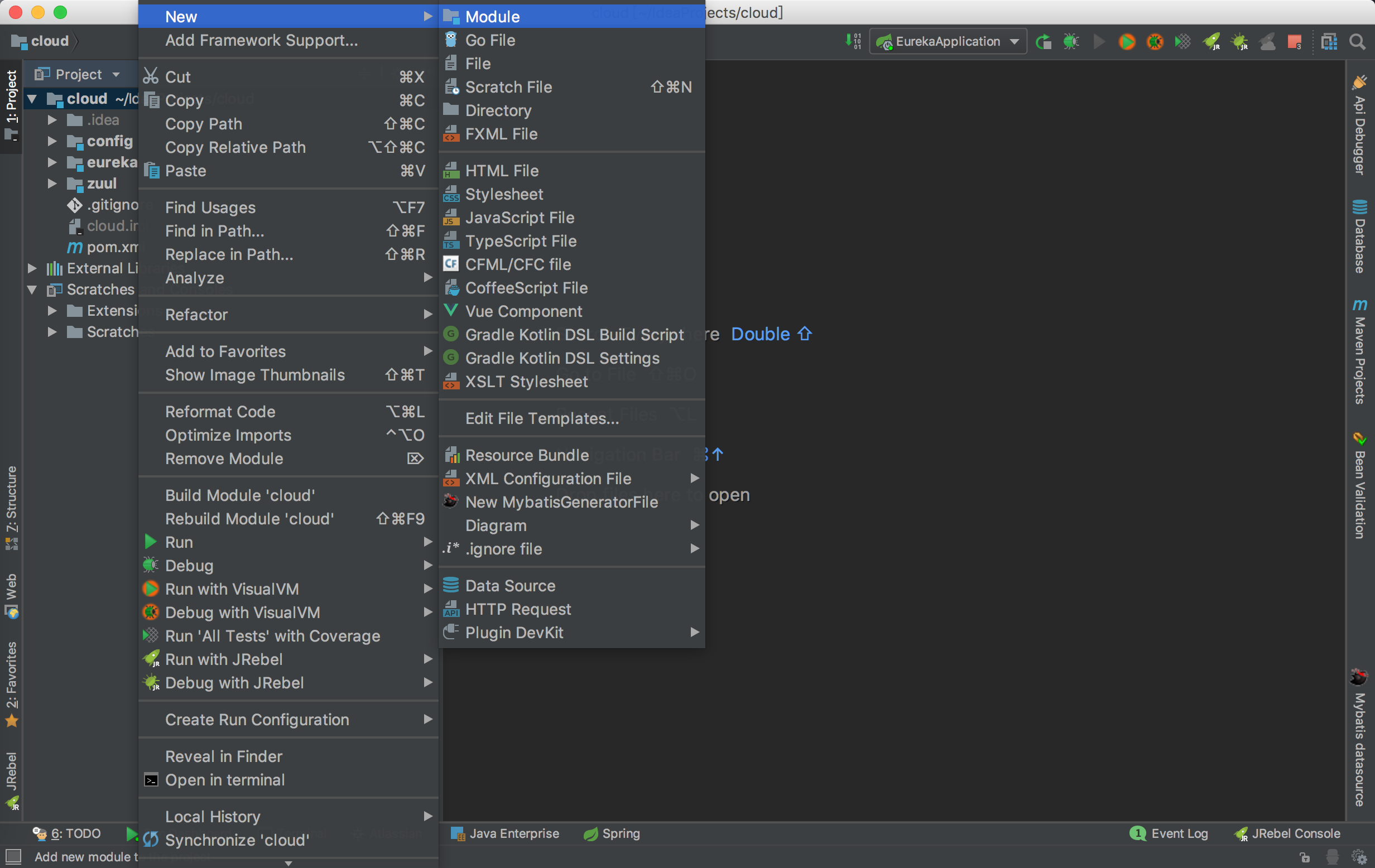
创建用户模块,选择中父项目右键选中new->Module
-
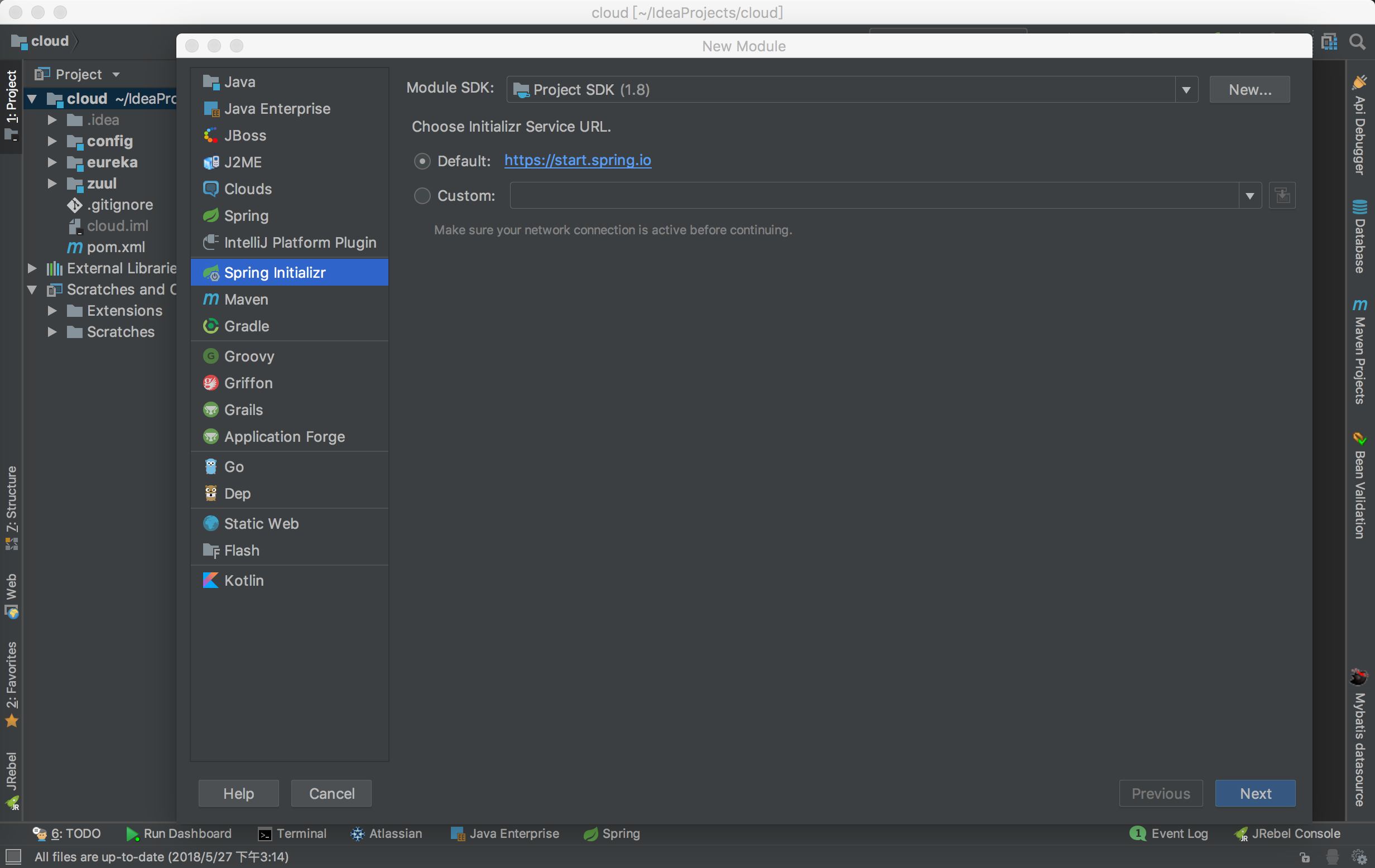
点击next
-
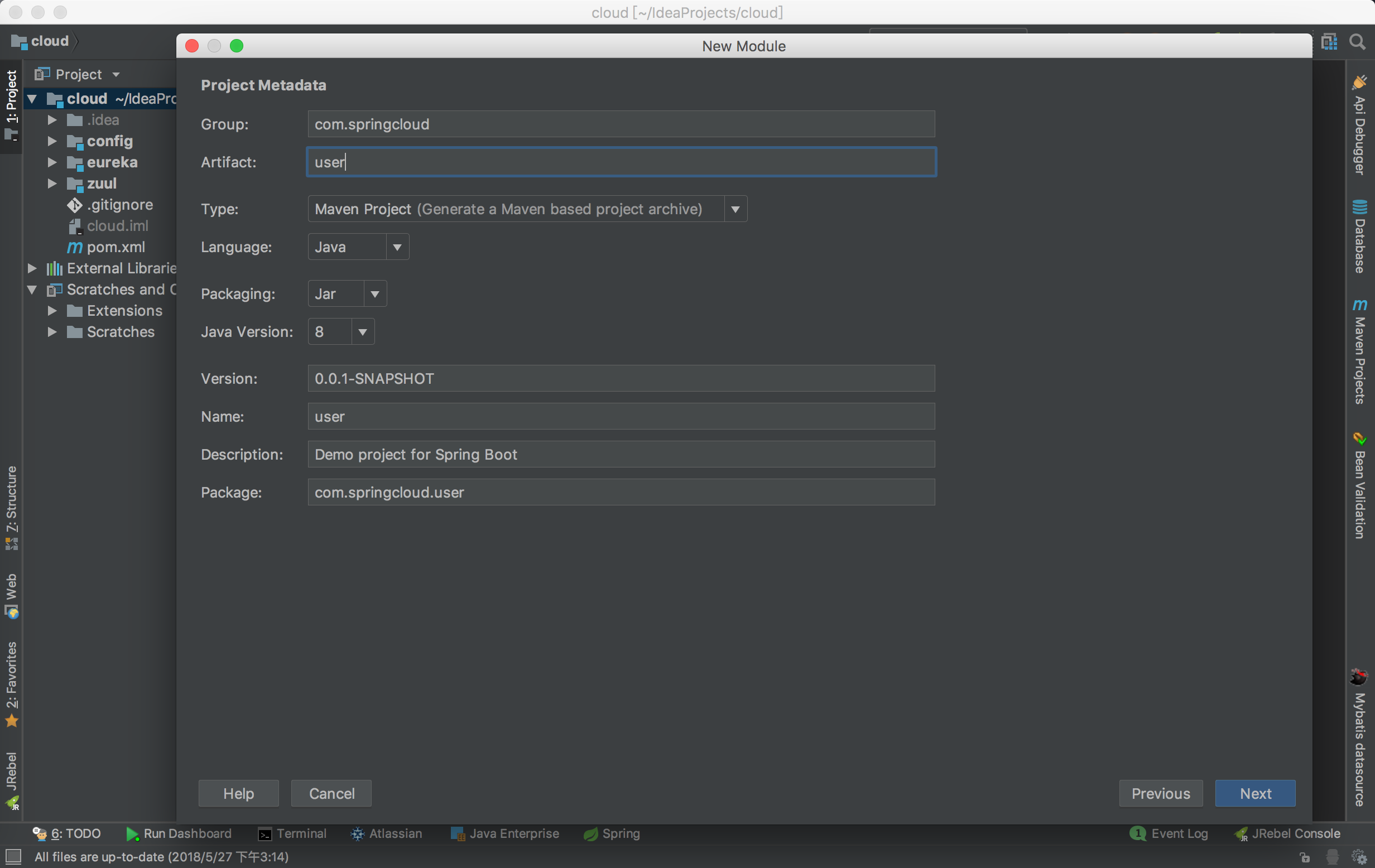
设置好group和artifact名称,点击Next
-
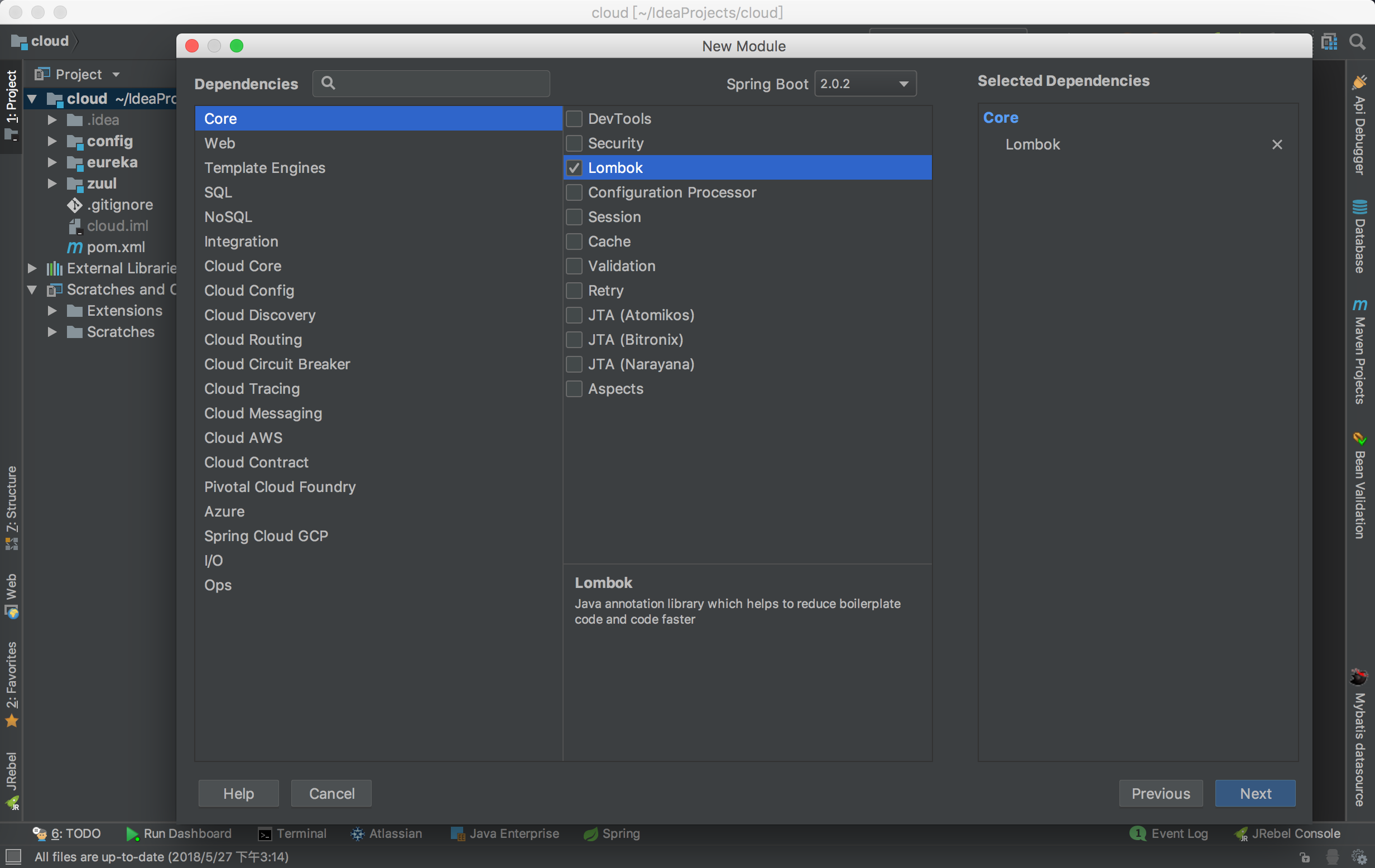
选择Core»Lombok
-
设置项目名称,点击Finish
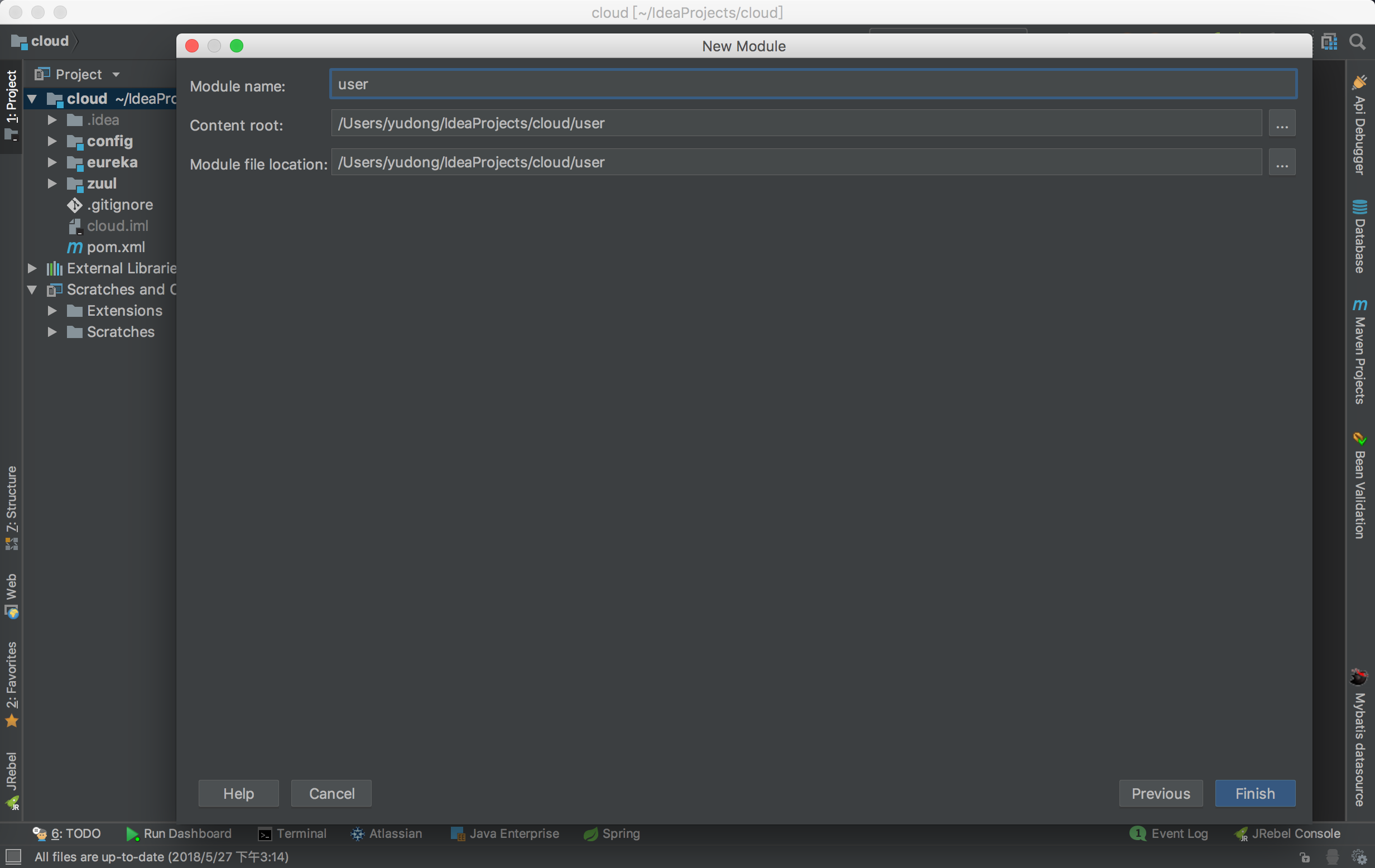
-
项目结构如下
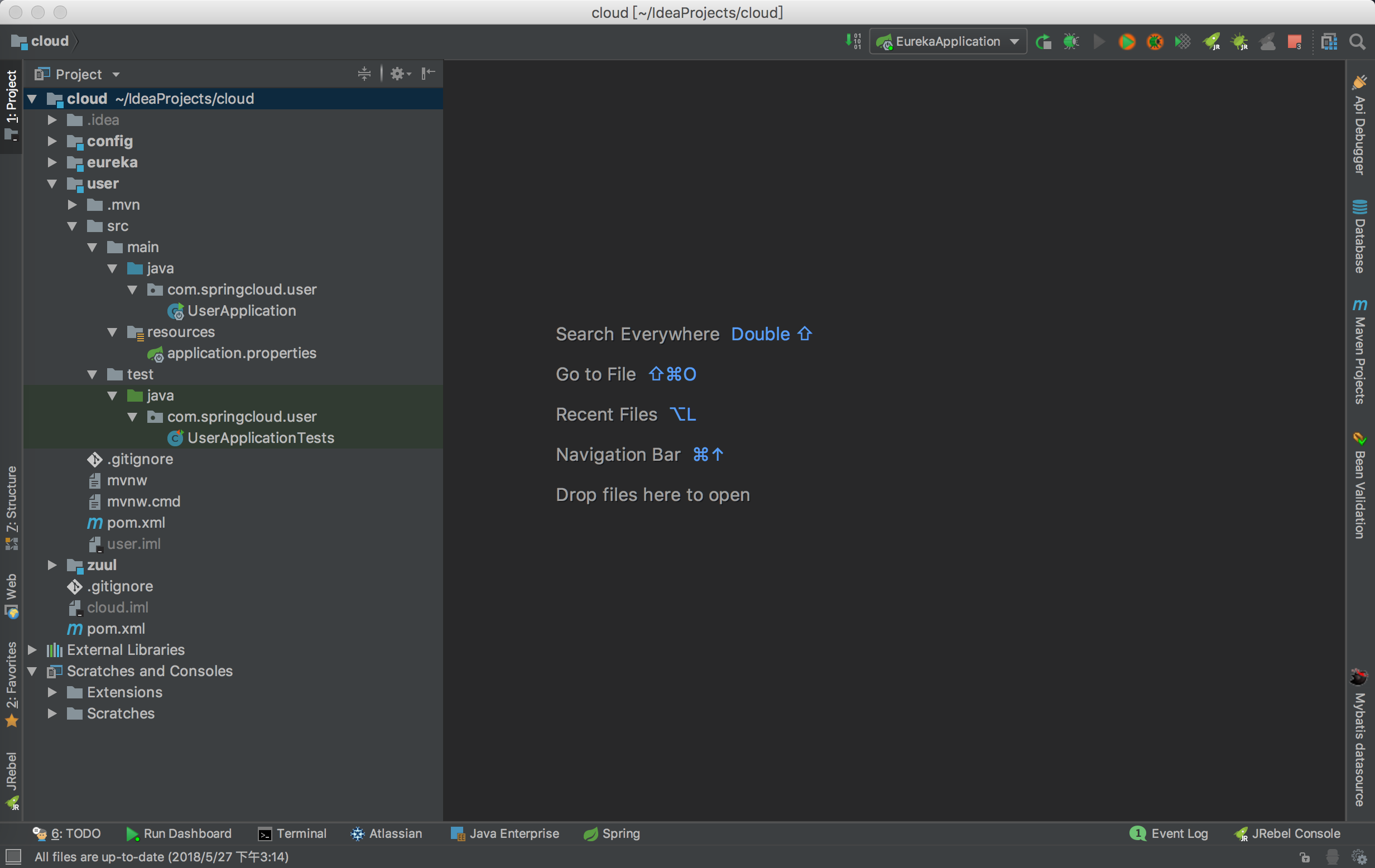
-
项目默认的配置文件是.properties格式的,为方便好的阅读修改为.yml格式
-
在application.yml 文件中添加如下配置文件
server:
  port: 8082

spring:
  application:
    name: user

eureka:
    instance:
        statusPageUrlPath: /info
        healthCheckUrlPath: /health
        prefer-ip-address: true
        ip-address: 127.0.0.1
- 打开父项目的pom.xml文件,在modules标签里面加入如下
<module>user</module>
- 打开user中的pom.xml文件,修改parent标签如下groupId和artifactId,version都需要指向父项目groupId和artifactId,version,其他修改如下
<?xml version="1.0" encoding="UTF-8"?>
<project xmlns="http://maven.apache.org/POM/4.0.0" xmlns:xsi="http://www.w3.org/2001/XMLSchema-instance"
         xsi:schemaLocation="http://maven.apache.org/POM/4.0.0 http://maven.apache.org/xsd/maven-4.0.0.xsd">
    <modelVersion>4.0.0</modelVersion>

    <groupId>com.springcloud</groupId>
    <artifactId>user</artifactId>
    <version>0.0.1-SNAPSHOT</version>
    <packaging>jar</packaging>

    <name>user</name>
    <description>Demo project for Spring Boot</description>

    <parent>
        <groupId>com.springcloud</groupId>
        <artifactId>cloud</artifactId>
        <version>0.0.1-SNAPSHOT</version>
        <relativePath/> <!-- lookup parent from repository -->
    </parent>

    <properties>
        <project.build.sourceEncoding>UTF-8</project.build.sourceEncoding>
        <project.reporting.outputEncoding>UTF-8</project.reporting.outputEncoding>
        <java.version>1.8</java.version>
    </properties>

    <dependencies>
        <dependency>
            <groupId>org.springframework.boot</groupId>
            <artifactId>spring-boot-starter</artifactId>
        </dependency>
        <dependency>
            <groupId>org.springframework.boot</groupId>
            <artifactId>spring-boot-starter-web</artifactId>
        </dependency>
        <dependency>
            <groupId>org.springframework.cloud</groupId>
            <artifactId>spring-cloud-starter-feign</artifactId>
        </dependency>
        <dependency>
            <groupId>org.springframework.cloud</groupId>
            <artifactId>spring-cloud-starter-eureka</artifactId>
        </dependency>
        <dependency>
            <groupId>org.projectlombok</groupId>
            <artifactId>lombok</artifactId>
            <optional>true</optional>
        </dependency>
        <dependency>
            <groupId>org.springframework.boot</groupId>
            <artifactId>spring-boot-starter-test</artifactId>
            <scope>test</scope>
        </dependency>
    </dependencies>

    <build>
        <plugins>
            <plugin>
                <groupId>org.springframework.boot</groupId>
                <artifactId>spring-boot-maven-plugin</artifactId>
            </plugin>
        </plugins>
    </build>
</project>
-
在user项目的启动类上加上@EnableFeignClients,@EnableEurekaClient注解
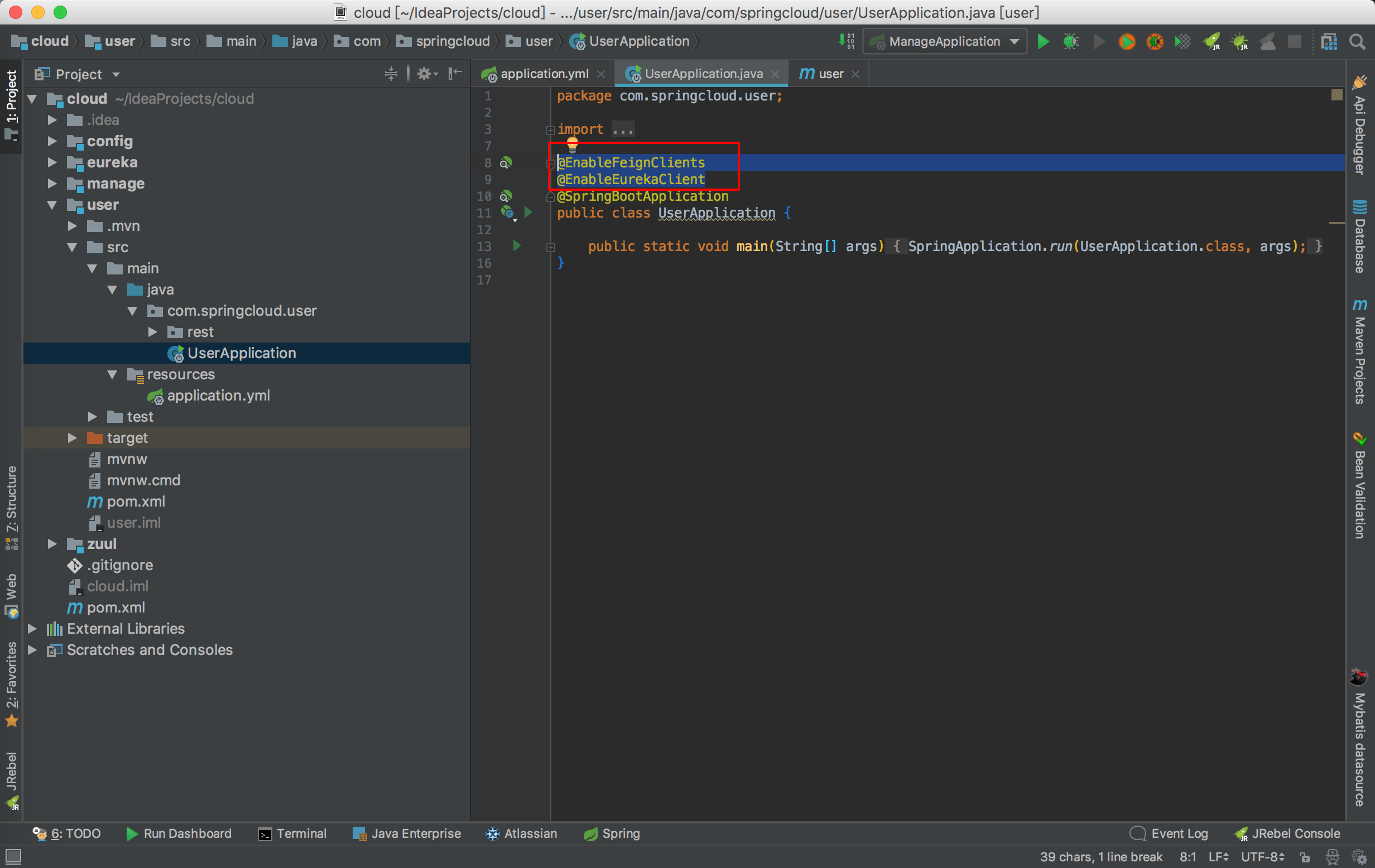
-
按照上面的步骤再创建一个manage项目,除了application.yml其余都和user一样
-
修改application.yml 文件如下
server:
  port: 8081

spring:
  application:
    name: manage

eureka:
    instance:
        statusPageUrlPath: /info
        healthCheckUrlPath: /health
        prefer-ip-address: true
        ip-address: 127.0.0.1
- 在user项目中添加一个接口
package com.springcloud.user.rest;

import org.springframework.cloud.netflix.feign.FeignClient;
import org.springframework.web.bind.annotation.RequestMapping;
import org.springframework.web.bind.annotation.RequestMethod;

/**
 * 测试访问 下面@FeignClient("manage")中的manage是需要访问的微服务名称
 * 定义一个getuserinfo接口,"method"代表请求方式,"value"代表请求路径
 * @Author yudong
 * @Date 2018年05月29日 上午12:51
 */
@FeignClient("manage")
public interface FeignTest {

    @RequestMapping(method = RequestMethod.GET, value = "/getuserinfo")
    public String getuserinfo();
}
- 在user项目添加一个controller
package com.springcloud.user.rest;

import org.springframework.beans.factory.annotation.Autowired;
import org.springframework.web.bind.annotation.RequestMapping;
import org.springframework.web.bind.annotation.RequestMethod;
import org.springframework.web.bind.annotation.RestController;

/**
 * 测试controller
 * @Author yudong
 * @Date 2018年05月29日 上午12:51
 */
@RestController
public class TestController {

    //注入之前定义的接口
    @Autowired
    FeignTest feignTest;

    @RequestMapping(method = RequestMethod.GET, value = "/getuser")
    public String getmanage(){
       return feignTest.getuserinfo();
    }
}
-
user结构如图
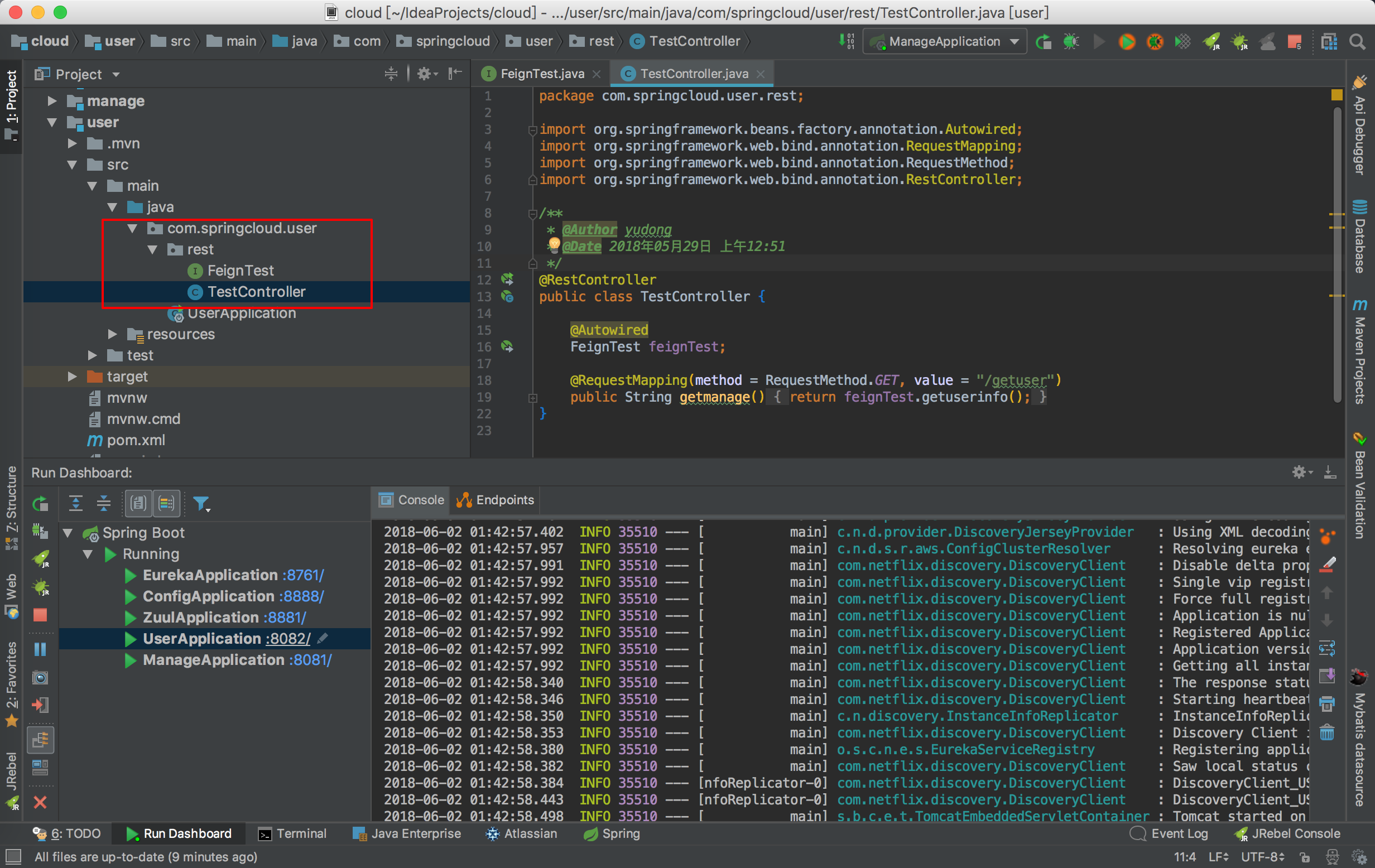
-
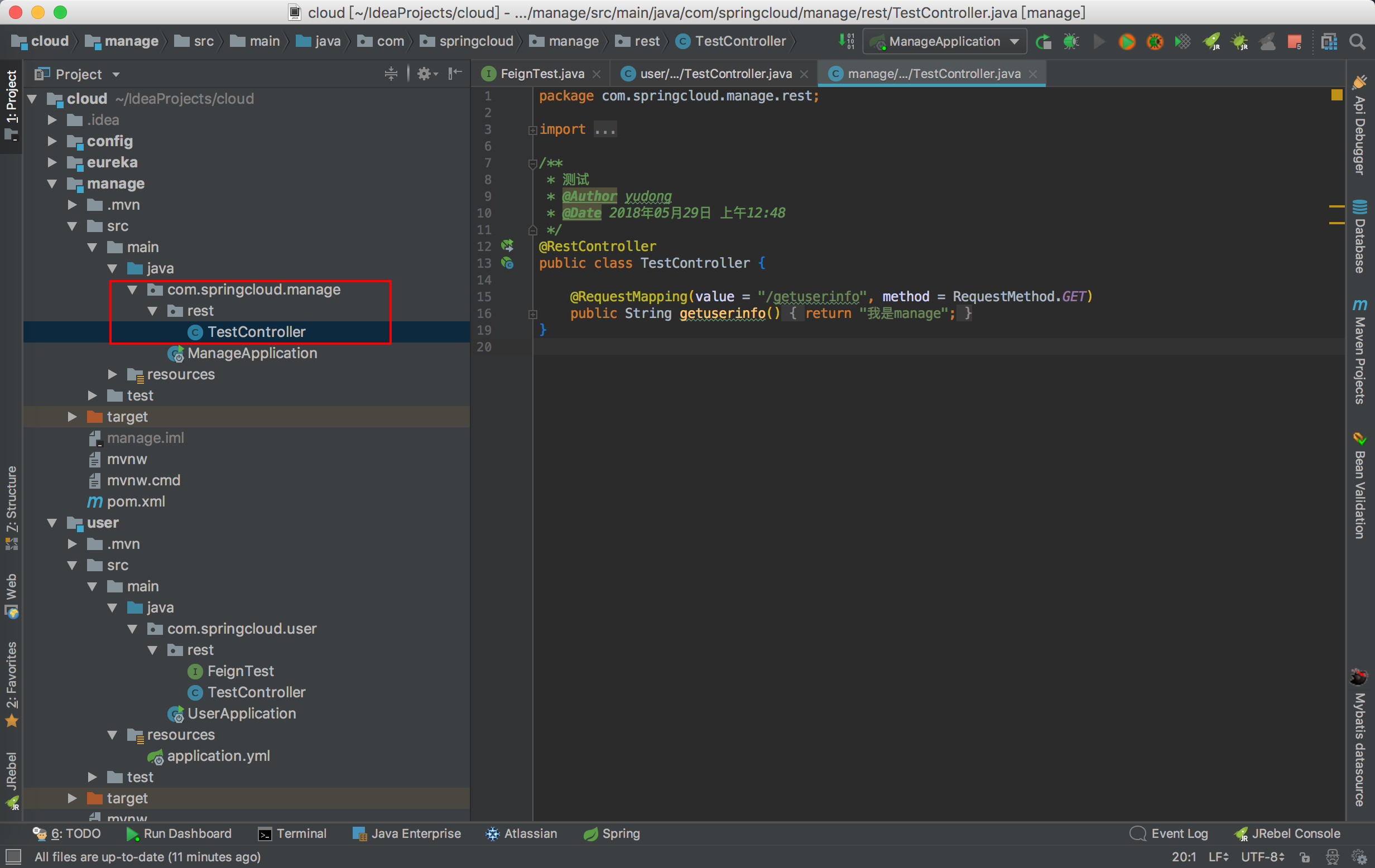
在manage项目中定义一个controller
package com.springcloud.manage.rest;

import org.springframework.web.bind.annotation.RequestMapping;
import org.springframework.web.bind.annotation.RequestMethod;
import org.springframework.web.bind.annotation.RestController;

/**
 * 测试controller
 * @Author yudong
 * @Date 2018年05月29日 上午12:48
 */
@RestController
public class TestController {

    @RequestMapping(value = "/getuserinfo", method = RequestMethod.GET)
    public String getuserinfo() {
        return "我是manage";
    }
}
-
manage项目结构图
-
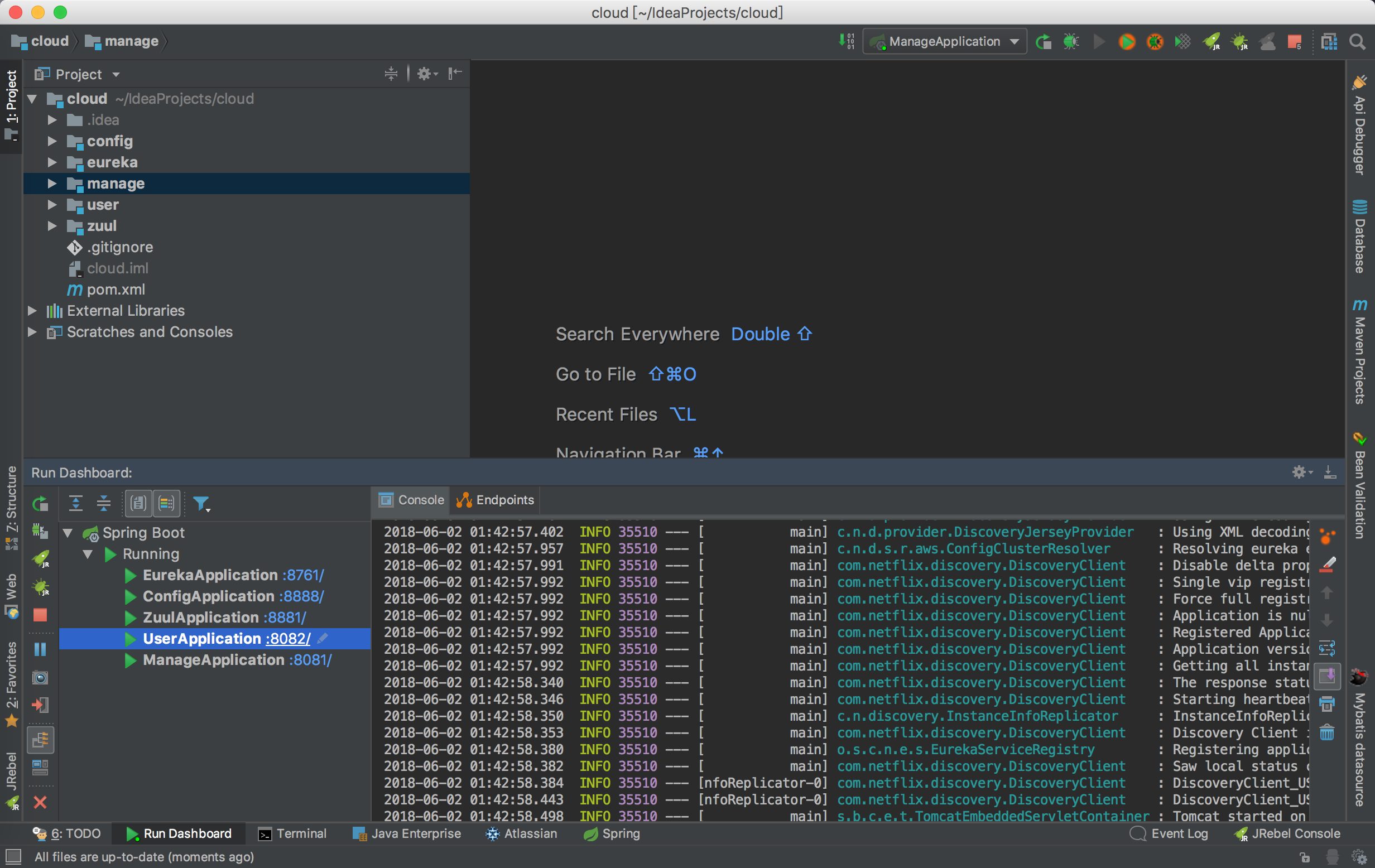
启动项目,如图
-
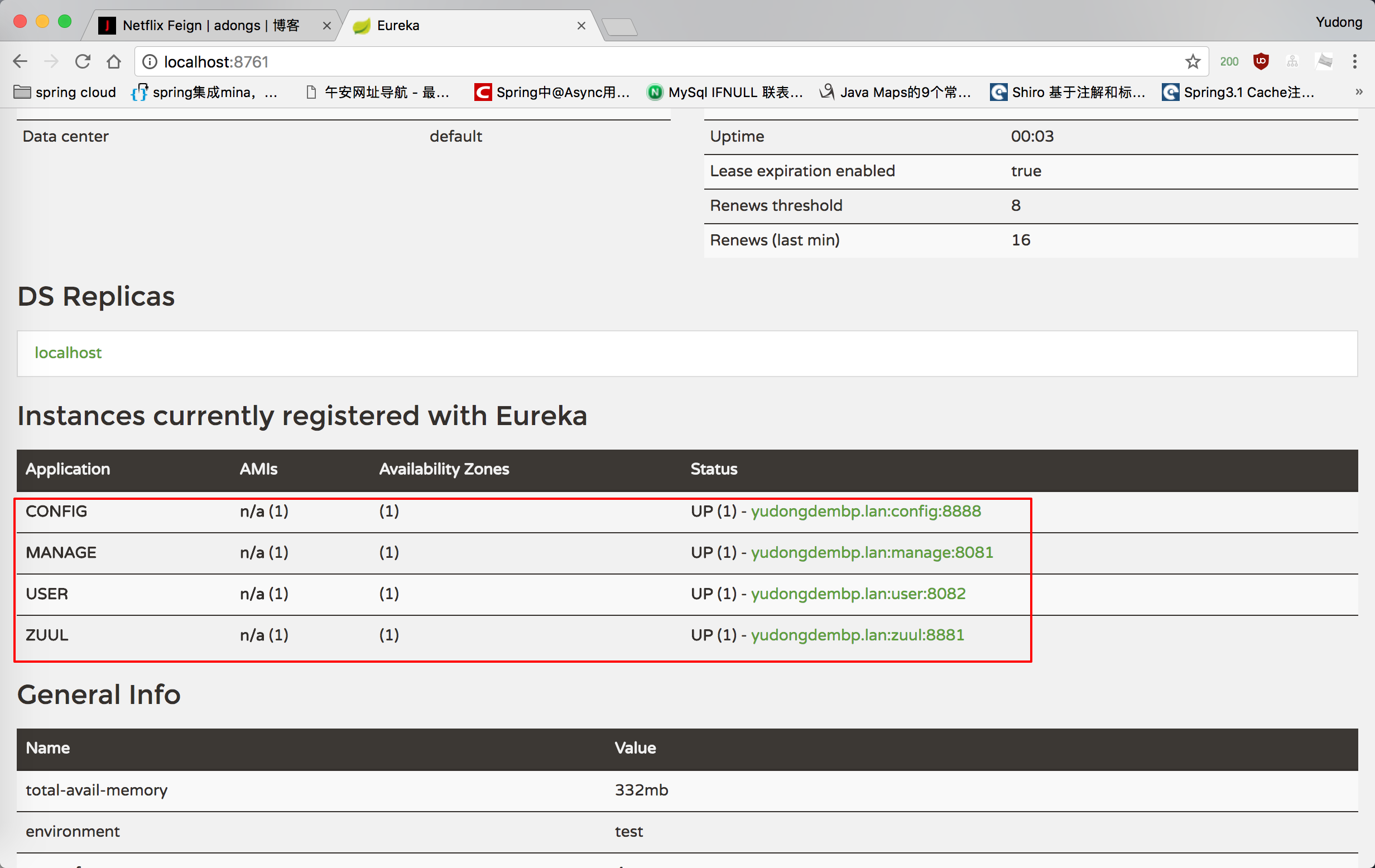
验证服务是否在注册中心
-
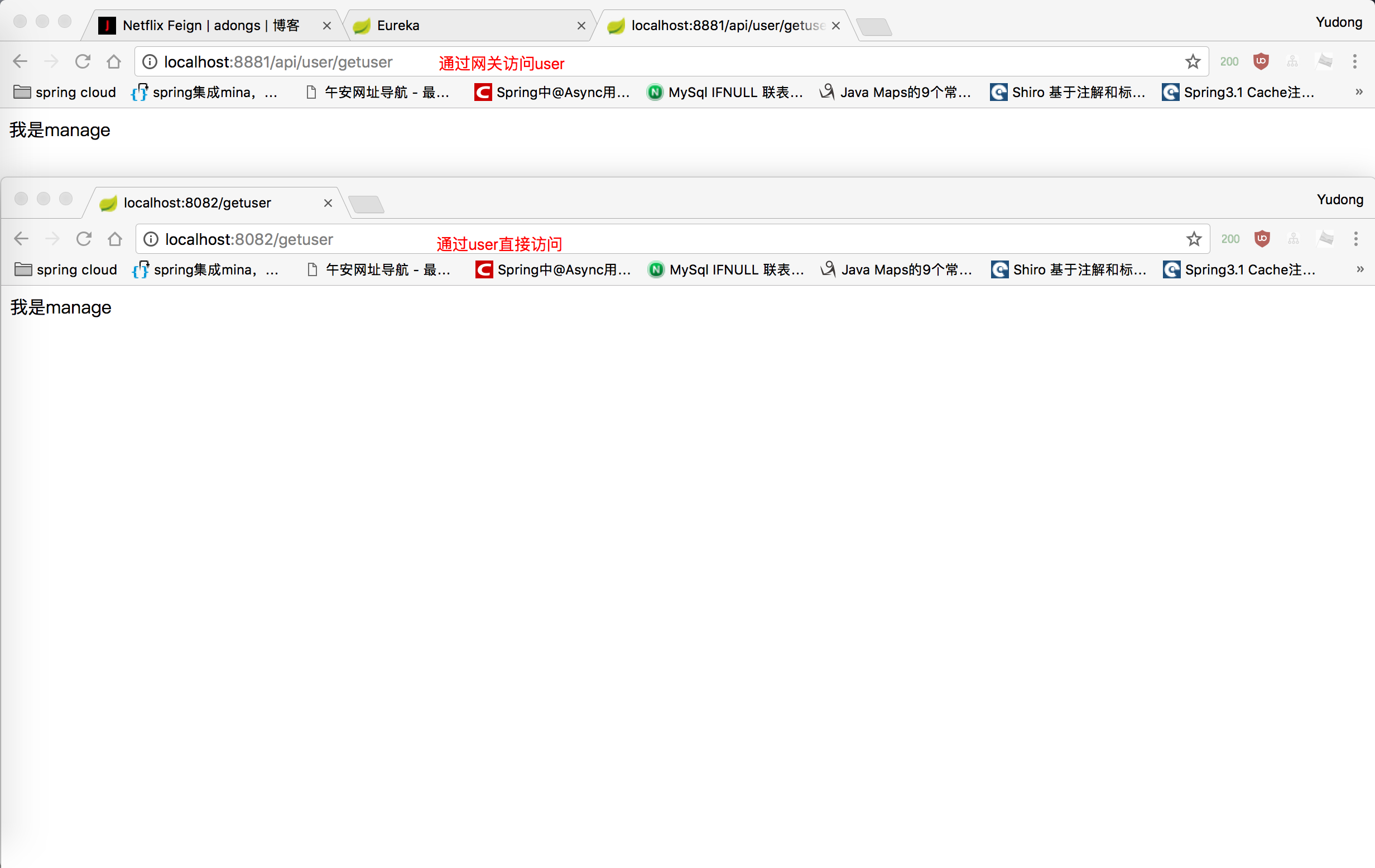
我们通过zuul(网关)访问user,user通过Feign访问manage,Feign实际是通过注册中心获取服务信息,然后拼接成http请求,访问manage 访问成功如下图